Sample size is the product
Why 5,000 Aviator Results Tell a Better Story Than 75
A high multiplier is exciting. It is also statistically rare. In a sample of 75 rounds, one 150× result can dominate the chart. When that value leaves the window, the picture collapses. Nothing fundamental had to change. The window changed.
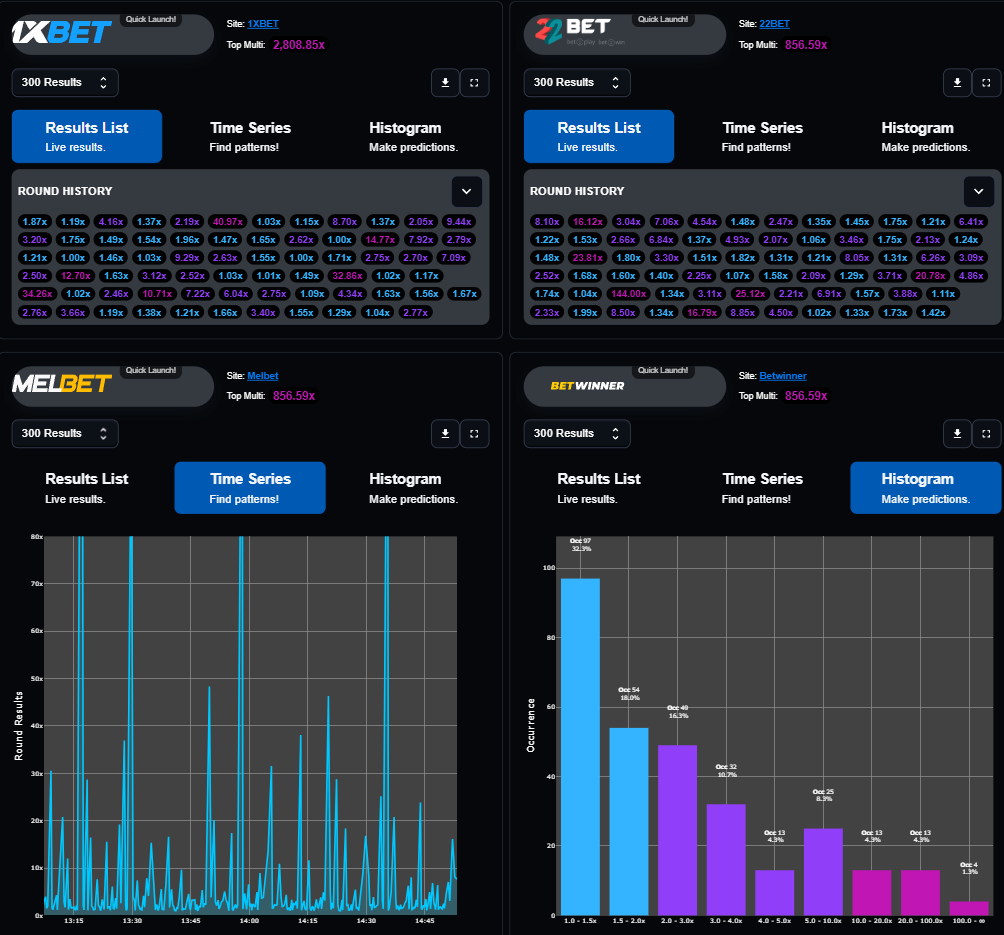
What 75 results can show
- The latest multipliers
- Whether volatility just increased
- Whether several high results sat close together
- Whether the feed is updating
They cannot support a stable story about rare ranges. Free access is meant for exploring the live dashboard. Extended Data Access raises the available history to as many as 5,000 points.
What changes at 300, 1,000 and 5,000
A larger sample gives rare ranges a chance to appear. You can compare the current 75-round slice with a 1,000-round reference, check whether high values are clustered, and see whether a model’s accuracy percentage rests on 12 tests or 200 tests. More data does not reveal the next cryptographic result. It gives you a stronger reference.
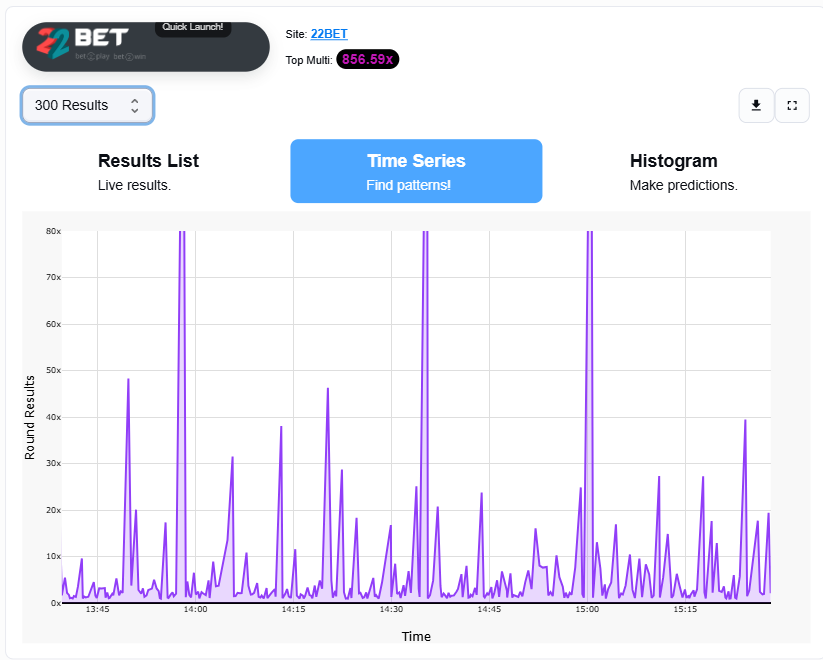
Read high results as events, not IOUs
The Results List makes high multipliers easy to spot. Use it for frequency, spacing and which feed produced them. A high result does not create a debt the game must repay. It also does not make another high result impossible.
Time Series for sequence, Histogram for frequency
If a “clear pattern” disappears when you switch from 75 to 300 points, it was probably a small-sample coincidence. The Histogram groups multipliers into practical ranges and compares the current sample with a longer reference. A green or red difference is a description of the sample, not a promise about the next round.
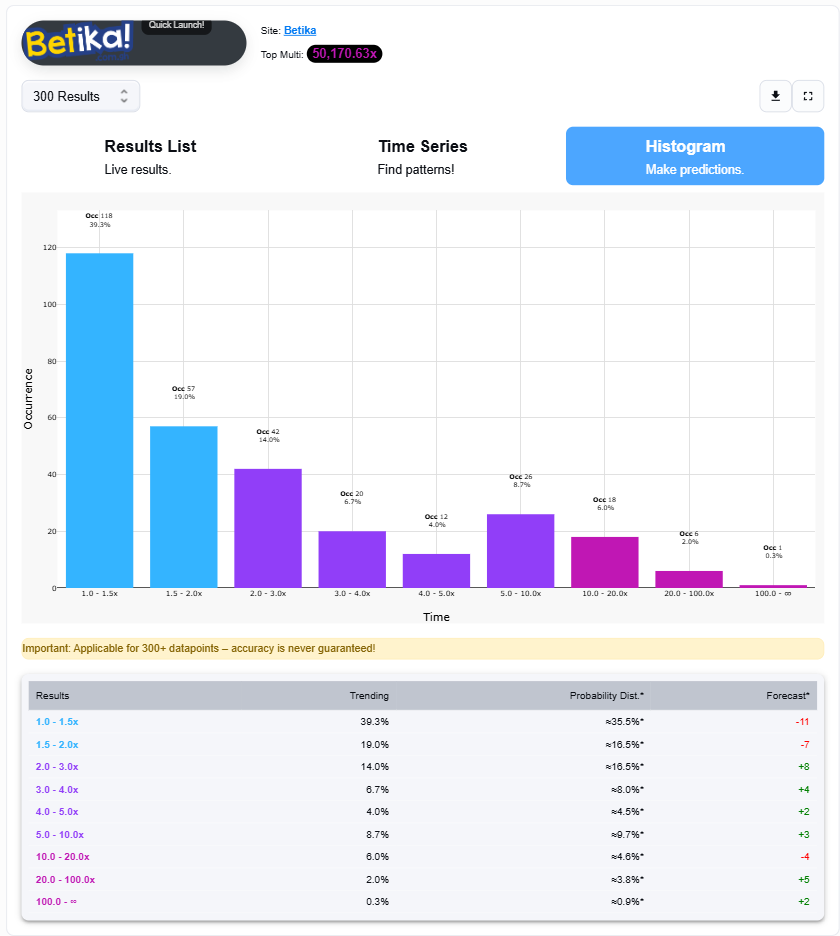
Use at least 300 points before treating a distribution as meaningful. Rare bins need room.
- Start with the Results List
- Change the window and see if the observation survives
- Open Time Series for spacing
- Compare Histogram with a longer reference
- Check Live AI Forecast sample counts
- Skip the round if the views conflict
Open AviatorTrends and use Extended Data Access when you need the longer window.
More guides
Read also Master Spribe Aviator and Crash Games with AviatorTrends